
Collaborative coding platforms such as Visual Studio Live Share let developers share their local environment and edit code together in real time, making pair programming across teams and locations far easier. But these tools usually come into play after teams already agree on what they are building. Modern collaborative coding platforms help developers build together, while newer experimentation tools — cloud agents working in isolated sandboxes — allow teams to test ideas directly on real interfaces before code is written. This guide is the tool-selection side of that story: 12 platforms for real-time and asynchronous coding collaboration, compared by category, with guidance on where each fits. (For the conceptual deep dive on what cloud agents are and how they work, read the linked guide — this page is about choosing between the tools.)
TLDR:
- Visual Studio Live Share and GitHub dominate team coding with free real-time editing and version control
- 84% of developers now use AI coding tools, creating a three-way collaboration model with teammates
- Browser-based editors like Replit, CodeSandbox, and StackBlitz skip local setup for instant pair programming
- Choose tools based on workflow: IDE extensions for debugging, version control for reviews, browser editors for prototyping
- Design feedback and code review platforms (Graphite, Chromatic, Figma) solve a different problem than live coding — most established teams need both
- For collaborating on the product itself before code is written, Alloy's cloud agents let the whole team iterate on captures of the real product
What Collaborative Coding Is and Why It Matters
Collaborative coding refers to multiple developers working on the same codebase simultaneously, sharing context, and communicating in real time. It started with pair programming at a single workstation but has evolved into cloud-based environments where distributed teams can edit, debug, and review code together regardless of location.
The tools supporting this shift range from IDE extensions to full browser-based editors. Some connect directly to GitHub repositories, while others function as standalone environments.
Understanding the Categories of Collaborative Coding Tools
Collaborative coding tools fall into four main categories, each solving different problems in the development workflow.
IDE extensions bring real-time collaboration into your existing editor. Visual Studio Live Share, CodeTogether, and similar tools let you share your local environment with teammates.
Version control systems like GitHub and GitLab support asynchronous collaboration through pull requests, code reviews, and merge workflows. They're foundational to any team's workflow but don't offer the synchronous, same-screen experience that live coding does.
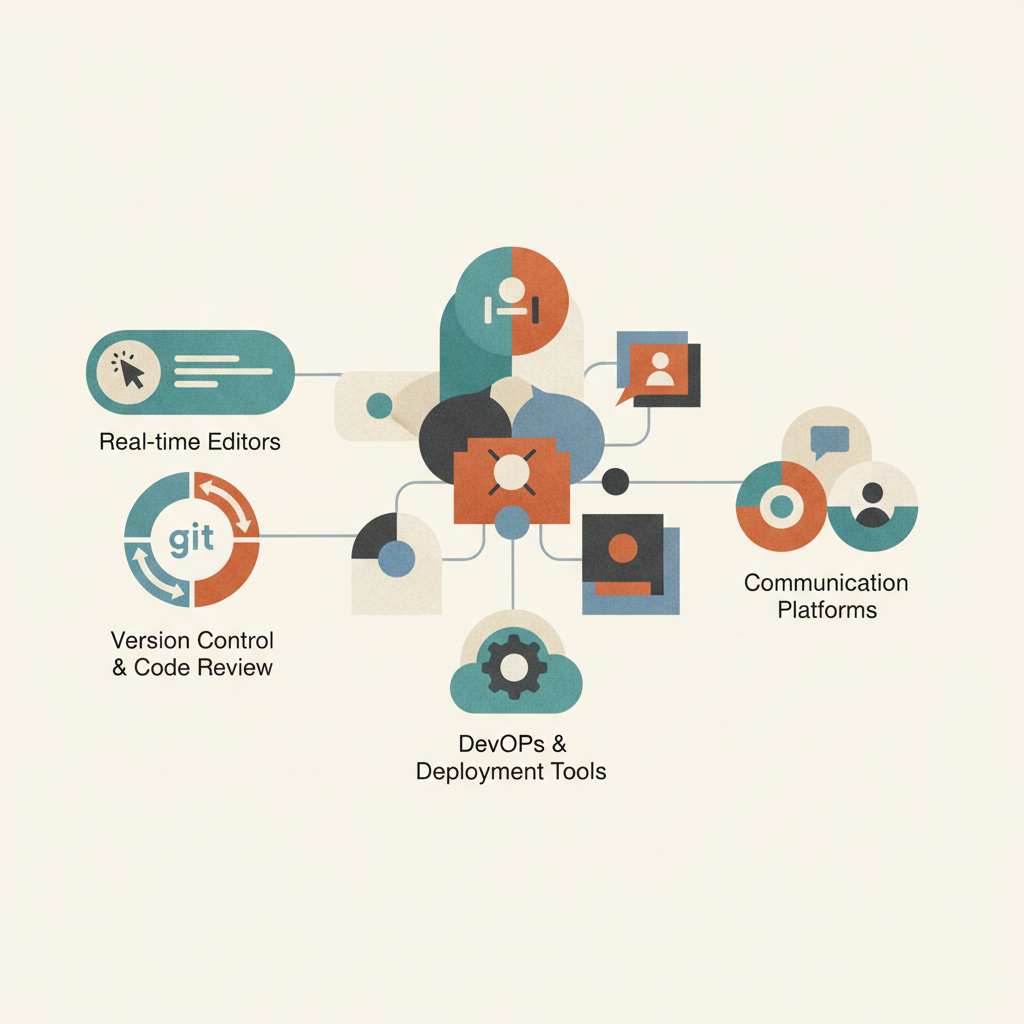
Browser-based editors eliminate local setup entirely. Tools like Replit, CodeSandbox, and StackBlitz run your entire development environment in the browser. You can share a link and start coding together instantly.
Real-time interview tools focus on technical interviews and coding assessments. CoderPad, HackerRank, and similar options provide shared coding environments with built-in test cases and recording features. They're purpose-built for evaluation instead of daily development work.
Need to debug with a teammate? IDE extensions. Reviewing code changes? Version control. Prototyping quickly with non-technical stakeholders? Browser-based. Running technical interviews? Interview-specific tools.
Visual Studio Live Share: Real-Time Collaboration in Your IDE
Visual Studio Live Share turns your local IDE into a shared workspace without requiring teammates to clone repos or configure environments. One developer hosts a session from VS Code or Visual Studio, generates a link, and others join directly from their own editor while keeping personal settings, themes, and keybindings intact.
The host controls access levels, choosing between read-only or full editing permissions. Live cursors display each participant's name, showing exactly who's typing where.
Shared terminals allow teammates to execute commands on the host's machine, which helps when environment differences would otherwise block progress.
Live Share is free for most use cases and runs across Windows, macOS, and Linux. Teams working in VS Code need only install the extension, sign in with GitHub or Microsoft, and launch a session.
12 Collaborative Coding Tools Compared for 2026
The tools below span IDE extensions, browser editors, and version control systems. Each serves different collaboration needs, from live pair programming to asynchronous code review.
- Visual Studio Live Share is one of the most widely used options for teams using VS Code or Visual Studio who want real-time collaboration without leaving their editor.
- GitHub hosts over 100 million developers and more than 420 million repositories, making it the foundation for asynchronous collaboration through pull requests and code reviews.
- GitHub Codespaces spins up full development environments in the browser, backed by VS Code, letting teams standardize setups and onboard developers in minutes.
- GitLab combines version control with CI/CD pipelines and project management, offering tighter integration across the DevOps lifecycle.
- Replit provides a browser-based editor focused on education and quick prototyping with multiplayer mode for instant collaboration.
- CodeSandbox specializes in frontend development with live preview, ideal for sharing React, Vue, or vanilla JavaScript demos.
- CodeTogether supports cross-IDE collaboration across VS Code, IntelliJ, and Eclipse.
- Tuple offers screen sharing built for pair programming with low latency and remote control.
- CodePen serves as a social coding environment for frontend experiments.
- Codeanywhere provides cloud IDE containers for isolated development environments.
- JetBrains Code With Me brings real-time collaboration to IntelliJ IDEA and other JetBrains IDEs.
- Cursor is an AI-first IDE that integrates deeply with LLMs to assist developers while coding.
| Tool | Category | Primary Use Case | Pricing Model |
|---|---|---|---|
| Visual Studio Live Share | IDE Extension | Real-time pair programming in VS Code or Visual Studio with shared debugging and terminal access | Free for most use cases |
| GitHub | Version Control | Asynchronous collaboration through pull requests, code reviews, and repository management for distributed teams | Free tier available, Team plans start at $4 per user/month billed annually |
| GitHub Codespaces | Browser-Based Editor | Cloud development environments with standardized setups for rapid onboarding and consistent configurations | Usage-based pricing with limited free usage included for personal accounts |
| Replit | Browser-Based Editor | Educational coding and rapid prototyping with multiplayer mode for instant collaboration without local setup | Free tier available, paid plans start at about $20/month |
| CodeSandbox | Browser-Based Editor | Frontend development with live preview for sharing React, Vue, and JavaScript projects with instant visual feedback | Free tier available, Pro plans start at about $12/month |
| JetBrains Code With Me | IDE Extension | Real-time collaboration for IntelliJ IDEA and JetBrains IDE users with shared editing and debugging sessions | Free tier available, integrated with JetBrains subscriptions |
| Cursor | AI-First IDE | AI-assisted development with deep LLM integration for code generation, refactoring, and intelligent suggestions | Free tier available, Pro starts at $20/month |
| Alloy | Product Experimentation | Pre-development collaboration on captures of your real product, with cloud agents making changes and pull requests carrying validated ideas into the codebase | See alloy.app/pricing |
How AI Is Reshaping Collaborative Coding
AI coding assistants have shifted from experimental tools to standard features in development workflows. 84% of developers now use AI coding tools like ChatGPT and GitHub Copilot, changing how collaboration happens at the keyboard level.
The change goes beyond autocomplete. Developers now pair with AI to generate boilerplate, refactor functions, and explain unfamiliar code. This creates a three-way collaboration model: developer, AI, and human teammate. The AI handles repetitive patterns while developers focus on architecture, business logic, and code review conversations that require judgment.
The tools have kept pace with the model. Agentic assistants — Claude Code in the terminal, Cursor and Windsurf in the editor, Copilot across GitHub — now take on whole tasks rather than lines, and cloud agents move that work off your machine entirely, running in sandboxes where a teammate can see and react to the result instead of the diff. The same shift is reaching non-engineers: conversational tools bring product people into the loop, from designing with ChatGPT to briefing an agent directly on the live product.

This doesn't replace human collaboration. AI can suggest implementations but struggles with product context, user needs, and system trade-offs. Teams still need synchronous pairing for architectural decisions, debugging edge cases, and mentoring junior developers through problem-solving approaches.
Remote Pair Programming: Best Practices and Common Pitfalls
Remote pair programming works when teams treat it as a distinct practice instead of forcing in-office habits through a screen. An estimated 66% of software engineers now work remotely, making distributed pairing the default instead of the exception.
Schedule sessions in focused blocks, typically 90 minutes or less. Longer stretches increase fatigue and reduce the cognitive benefits that make pairing worthwhile.
Invest in decent headsets and test connections before starting. Network lag disrupts the flow of conversation, turning collaboration into a frustrating exercise in talking over each other.
Choose tools that match your workflow. IDE extensions work when both developers use the same editor. Browser-based options remove setup friction but may lack language support. Test screen sharing, terminal access, and cursor visibility before committing to a tool.
Common pitfalls include skipping breaks, pairing without clear goals, and treating every task as pair-worthy. Not all coding benefits from real-time collaboration. Save pairing for complex problems, knowledge transfer, and debugging sessions where two perspectives actually help.
Collaborative Design Feedback and Code Review Platforms for Established Software Projects
Live coding tools cover one collaboration mode. Established software projects run on a second, asynchronous mode: design feedback and code review. Different tools own that layer, and most teams need both stacks.
On the code side, GitHub and GitLab pull requests remain the backbone, with Graphite layering stacked diffs and faster review queues on top for teams shipping many small changes. On the visual side, Chromatic turns Storybook stories into reviewable UI snapshots so component changes get design sign-off inside the review flow, and Figma remains where design intent is discussed before implementation.
The gap in this stack is feedback on proposed product changes — after the idea, before the pull request. Screenshots in Slack and static mockups strip out the context reviewers need. This is where a capture-based prototype earns its place: stakeholders react to a working version of the real interface, and the eventual PR arrives pre-validated. Pair this layer with preview environments for reviewing changes that have already reached a branch.
Choosing the Right Collaborative Coding Tool for Your Team
Start by mapping your workflow to the type of collaboration you actually need. Teams spending most of their time on code reviews and merge requests don't need real-time editing tools. Conversely, teams running daily pairing sessions or onboarding remote developers will find asynchronous tools insufficient.
Small startups with five developers can adopt browser-based editors quickly since everyone learns the same environment. Larger engineering orgs with existing toolchains face higher switching costs. IDE extensions that layer onto existing setups create less disruption than asking 50 developers to abandon their preferred editor.
Tech stack constraints narrow your options. Frontend teams working in React can use CodeSandbox or CodePen for quick experiments. Backend teams running microservices need environments that support Docker, databases, and multiple languages. Check language support and framework compatibility before committing.
Budget and security requirements filter aggressively. Free tiers work for side projects and small teams. Enterprise deployments handling sensitive code need SSO, audit logs, and compliance certifications. Review what's included at each pricing tier and whether self-hosted options exist if cloud-based collaboration raises data residency concerns.
Run a pilot with three to five developers for two weeks. Measure setup time, frequency of use, and whether the tool actually gets adopted or sits ignored. The right choice is the one your team will use consistently, not the one with the longest feature list.
The Tool the Other 12 Don't Replace: Collaborating on the Product Itself
Every platform above collaborates on code — which means every one of them assumes the participants can read it. That excludes the people most collaborative product decisions depend on: the PM proposing the change, the designer judging it, the stakeholder approving it. None of the 12 tools gives those people a way to participate before a developer translates the idea into a branch.
Alloy fills that seat at the table. It captures your live product from the browser — the working equivalent of a website cloner, but producing an editable prototype rather than a static mirror — and anyone on the team iterates on it in plain language while engineers stay heads-down. The prototype is shareable like a Live Share link, looks exactly like the shipped product, and with a connected codebase the validated change lands as a pull request in the same review flow the rest of this guide covers.
In collaboration terms: Live Share is synchronous, GitHub is asynchronous, and Alloy is pre-code — the three modes complement rather than compete. How the agent side of this works under the hood — sandboxes, iteration loops, cloud versus local — is covered in our cloud agents explainer, and if your team's collaboration bottleneck is specifically "we can't safely touch the product we already ship," start with our existing-codebase platform comparison.
FAQs
How do I start a collaborative coding session with Visual Studio Live Share?
Install the Live Share extension in VS Code or Visual Studio, sign in with your GitHub or Microsoft account, and click "Share" to generate a link that teammates can join from their own editor while keeping their personal settings intact.
Can AI coding assistants replace human pair programming?
No. 84% of developers use AI tools like GitHub Copilot, but AI handles repetitive patterns while human collaboration remains necessary for architectural decisions, debugging complex edge cases, and product context that requires judgment.
When should my team use real-time collaborative coding versus asynchronous code reviews?
Use real-time tools for complex debugging, onboarding new developers, and pairing sessions where two perspectives actively solve a problem together. Stick with asynchronous code reviews for routine merge requests and changes that don't require immediate back-and-forth.
Final Thoughts on Finding Your Collaborative Coding Setup
Every team approaches collaboration differently, so the best collaborative coding platform is the one that fits naturally into how your developers already work. Real-time editors, browser IDEs, and version control workflows each support different stages of development, but strong teams also collaborate before code exists by testing ideas, validating product flows, and aligning on requirements. Running small pilots and observing how often a tool actually gets used will reveal far more than a feature comparison — the same test that decided our head-to-head of seven AI prototyping tools. Tools like Alloy extend the idea of a collaborative coding platform into the product discovery stage by giving teams a shared environment to experiment with real interfaces before committing changes to the codebase.
