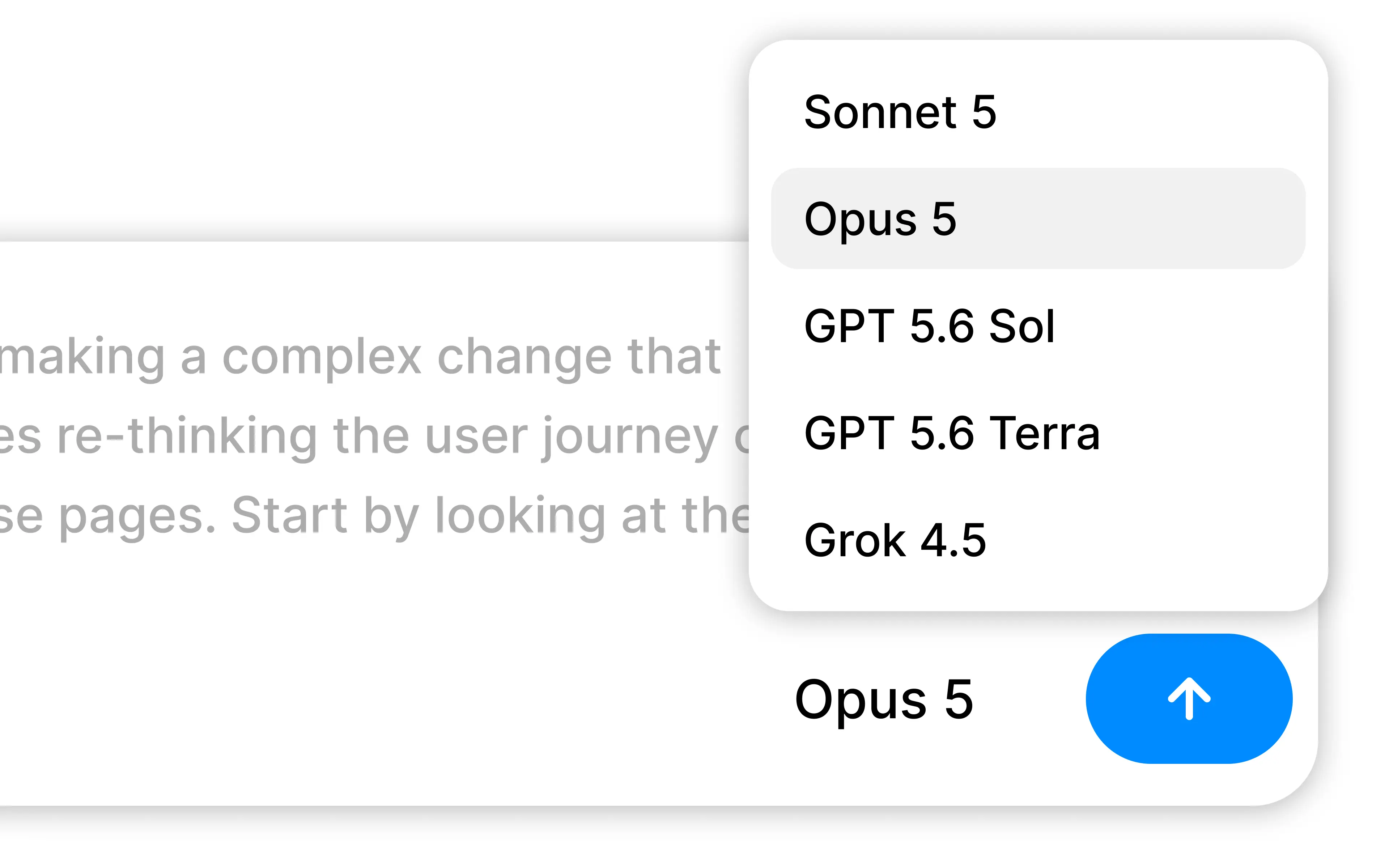
Model selection lets you choose which Anthropic, OpenAI, or xAI model Alloy uses for an agent prompt based on its relative cost, speed, and intelligence.
Switch between models that are faster, cheaper, or more intelligent during your session.
Different prompts call for different tradeoffs. A quick copy change might favor speed and cost, while a complex product flow can benefit from deeper reasoning. You can now choose the model that fits before you send a prompt.
Compare models at a glance. Open the model picker to see relative ratings for cost, speed, and intelligence.
Choose from leading providers. Switch between models from Anthropic, OpenAI, and xAI without leaving your session.
Keep your preferred model. Alloy remembers your selection for each workspace and carries it across prototypes and codebase sessions.
Model selection is available today from the prompt box in every Alloy session.
Frequently asked questions
Match the model to the task: favor speed and cost for small edits, and deeper reasoning for complex product flows or implementation work. Alloy's model picker compares relative cost, speed, and intelligence before you send a prompt so the tradeoff is visible in the session.
Yes, a multi-model tool can let you change providers without moving the work or rebuilding context. Alloy offers models from Anthropic, OpenAI, and xAI in the prompt box and remembers the preferred selection for each workspace.
Yes, a workspace-level preference avoids selecting the same model again whenever you begin a new task. Alloy remembers the chosen model for each workspace and carries it across prototype and codebase sessions.