
Your prototype looks great until someone asks if it can actually be built. The components don't match your design system, the interactions ignore your existing patterns, and engineering is seeing it for the first time during sprint planning. Most prototyping tools force you to rebuild everything from scratch, which means every round of feedback creates more distance between the demo and what will actually ship. What is prototyping in generative AI built to fix? It starts from your real product and modifies it directly, so the prototype you're testing is the same fidelity as what you'll build. You're not validating an abstraction anymore.
TLDR:
- AI prototyping builds interactive product experiences in minutes by generating, testing, and refining based on user feedback.
- Tools fall into four categories: conversational builders, code-generation, design-to-code, and Cloud Agents that work inside your existing product.
- Most tools build from scratch with generic components, creating prototypes that look nothing like your actual product.
- Good prompts start with user flow, specify components precisely, and scope one change at a time for better output.
- Cloud Agent tools capture any page of your existing app and modify it in a pixel-perfect sandbox tied to your real design system.
What Is AI Prototyping?
AI prototyping is the practice of building testable product experiences using AI to generate, iterate, and refine them, often in minutes instead of days. Where traditional prototyping required designers to manually wire up screens or engineers to stub out interactions, AI lets teams go from a rough idea to something interactive and shareable far faster.
The core loop is simple: describe what you want, get a working draft, test it with real users or stakeholders, then refine based on feedback.
The Categories of AI Prototyping Tools
AI prototyping tools fall into a few distinct categories, each suited to different stages of the product development process.
- Conversational AI builders let you describe what you want in plain language and generate a working prototype from that description. They are fast to spin up but often produce generic output disconnected from your actual product. Vibe design on a capture of your real product avoids that.
- Code-generation tools like GitHub Copilot accelerate the writing of prototype logic but still require a developer to wire everything together manually.
- Design-to-code tools bridge design files and functional UI, though the output quality depends heavily on how well your design system is represented. The inverse workflow uses an HTML-to-design tool to turn an existing rendered interface into an editable design starting point.
- Cloud Agents work directly inside your existing product, capturing real pages and letting you iterate on them without rebuilding anything from scratch.
The right category depends on what you are trying to validate. Early-stage concept testing may call for a conversational builder, while teams validating changes to a live product need something closer to the real thing.
| Tool Category | How It Works | Key Limitation |
|---|---|---|
| Conversational AI Builders | Generate working prototypes from plain language descriptions you provide | Produce generic output disconnected from your actual product |
| Code-Generation Tools | Accelerate writing of prototype logic but require manual assembly by a developer | Developer must still wire everything together manually |
| Design-to-Code Tools | Bridge design files and functional UI by converting design system assets | Output quality depends heavily on how well your design system is represented |
| Cloud Agents | Work directly inside your existing product by capturing real pages and iterating on them | Require access to your live product without rebuilding from scratch |
How AI Prototyping Works
AI prototyping runs through a repeatable cycle: generate, test, and refine. A team starts with a prompt or design input, the AI produces a working prototype, and feedback from that prototype feeds directly into the next iteration.
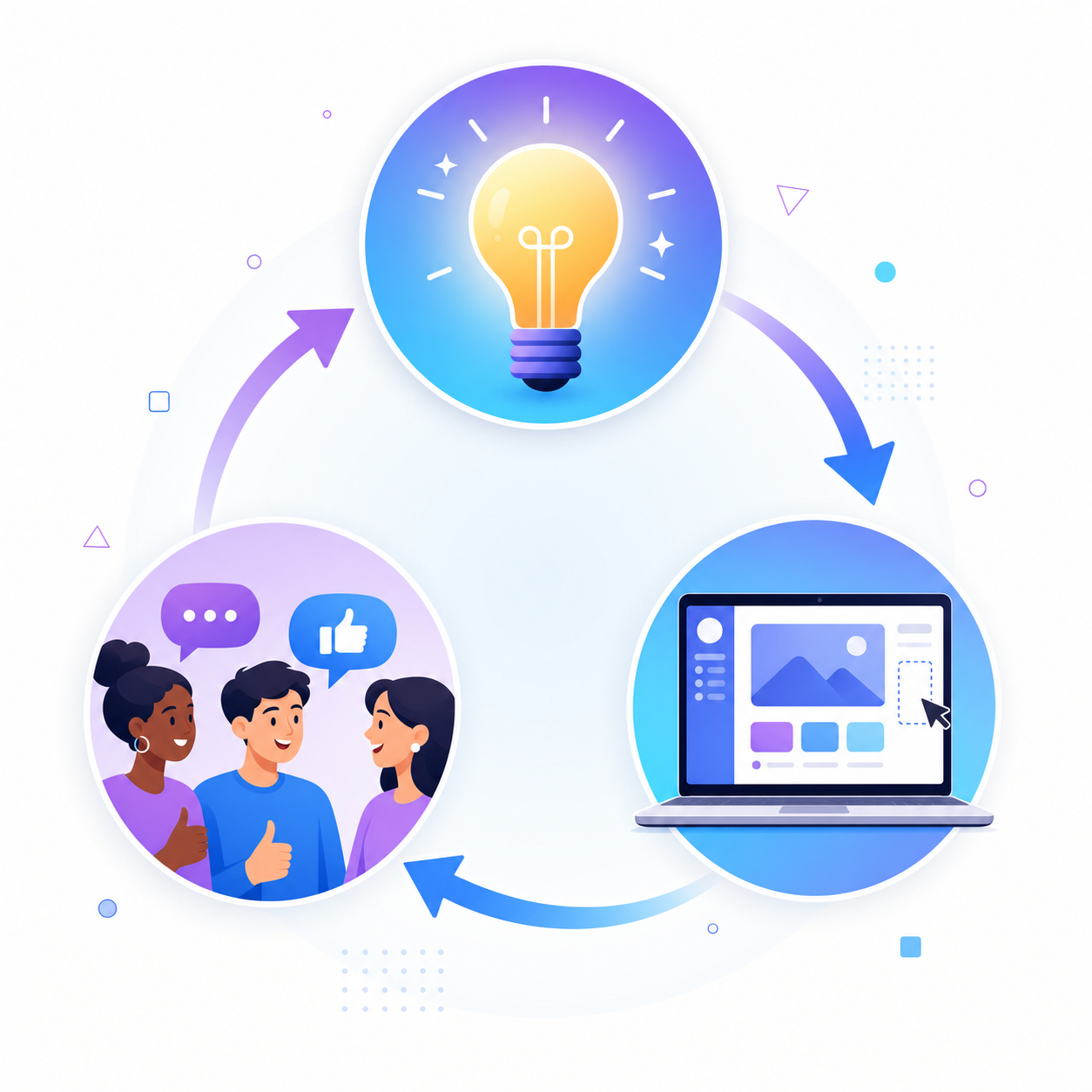
Under the hood, this relies on AI models trained to interpret intent and produce structured outputs like code, UI components, or interaction logic. AI prototyping tools integrate with live data and APIs, allowing prototypes to use live data instead of hardcoded placeholders. The quality of the output depends heavily on how well the input describes the goal.
The core steps in an AI prototyping workflow
Most teams follow a similar sequence regardless of the tool they use:
- Start with a clearly scoped idea or user problem, described in plain language or as a design artifact the AI can read.
- The AI generates a first-pass prototype, typically as functional code or a clickable UI instead of a static image.
- Stakeholders interact with it, surface what feels wrong, and provide specific feedback.
- That feedback goes back into the AI as a new prompt, and the cycle repeats until the prototype reflects the intended experience.
When to Use AI Prototyping in Your Product Workflow
AI prototyping fits best when speed and fidelity both matter. If your team is debating a feature before writing a single line of code, an AI-generated prototype lets you pressure-test the idea with real stakeholders in hours instead of weeks.
A few situations where it pays off most:
- When you need fast stakeholder buy-in and a static wireframe won't cut it
- When you're running usability tests and need something interactive to put in front of users
- When engineering capacity is tight and you want to validate before committing sprint time
Best Practices for Prompting AI Prototyping Tools
Good output from AI prototyping tools comes down to prompt quality more than the tool itself.
A few habits that consistently produce better results:
- Start with the user flow, not the visual. Describe the sequence of actions a user takes before describing how anything should look.
- Be specific about components. "Add a dropdown with three options: Draft, Active, Archived" will get you much closer than "add a status selector."
- Scope each prompt to one change at a time. Large prompts produce compounding errors that are harder to unwind.
- Reference real examples. A URL, a screenshot, or a named pattern ("a Notion-style sidebar") anchors the output to something concrete.
Validating AI-Generated Prototypes with Real Users
Tips for running prototype validation sessions
- Share the prototype in a format users can interact with on their own device, so the experience feels natural instead of observed.
- Ask users to think aloud as they move through flows, focusing on where they hesitate or express confusion.
- Capture qualitative notes alongside any quantitative measures like task completion rate or time on task.
- Set a clear hypothesis before each session so you know exactly what the prototype is meant to answer.
After each round, update the prototype and re-test. High-fidelity prototypes improve usability testing by providing realism that mirrors the final product. Because AI prototyping compresses build time, iteration cycles that once took weeks can now run in days.
Where AI Prototyping Tools Fall Short
Most AI prototyping tools share a common flaw: they build from scratch. You describe a feature, the tool generates a UI, and the result looks nothing like your actual product. Your design system is absent, your component library is ignored, and your team ends up spending more time realigning the prototype with reality than they would have spent building the real thing.
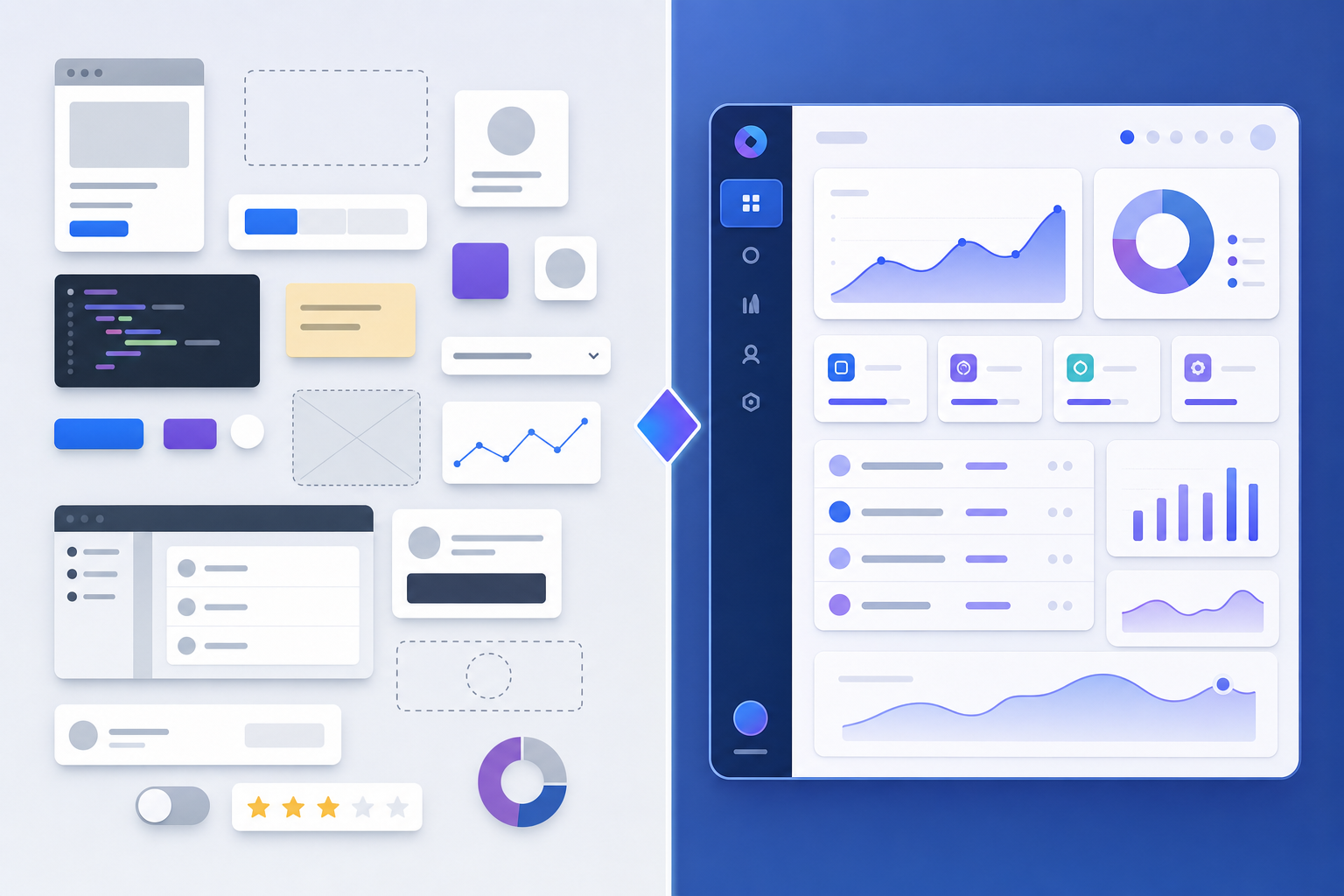
This gap widens the further a team gets from its codebase. When prototypes live in a disconnected tool, feedback loops break down. Engineers can't assess feasibility, designers can't trust fidelity, and stakeholders are reacting to something that will never ship.
There are a few recurring failure points worth knowing:
- Speed without fidelity creates false confidence. A prototype that ships in minutes but looks nothing like your product trains stakeholders to approve ideas that don't survive contact with real code.
- Generic components mislead the process. When AI generates UI from stock parts, you lose the context of your actual design decisions, which means validation is happening against an abstraction, not your product.
- Disconnected tools create handoff debt. Every gap between the prototype and the codebase is work someone has to resolve later, and that cost compounds across every iteration cycle.
That tradeoff is what newer approaches to AI prototyping are built to close.
Making AI Prototypes Production-Ready
The governance layer is what separates teams that ship from teams that demo indefinitely. Before a prototype touches a pull request, your team needs a shared definition of what "mergeable" actually means: test coverage expectations, naming conventions, and component reuse standards. Without that definition, AI-generated code moves fast but leaves cleanup work scattered across the codebase.
A few things worth setting up early:
- Point AI toward your real component library so output pulls from parts your codebase already uses, not generated approximations.
- Connect prototypes to real API endpoints or realistic mocks instead of hardcoded placeholder data, so engineers can assess feasibility during review.
- Run AI-generated code through the same PR process as any other change.
How Alloy Brings AI Prototyping to Your Existing Product
Alloy is built as a Cloud Agent for product teams that want to test AI-driven ideas against their real product, not a generic mockup. When you capture any page of your existing app, Alloy spins up a pixel-perfect sandbox session in seconds. From there, you can modify UI, wire in AI behaviors, and share an interactive prototype that looks exactly like your product.
That fidelity matters in AI prototyping. Testing a new AI feature in a throwaway wireframe tells you almost nothing about how users will react when it lives inside your actual product.
FAQs
What is AI prototyping?
AI prototyping is the practice of building testable product experiences using AI to generate, iterate, and refine them in minutes instead of days. You describe what you want in plain language, get a working draft, test it with real users or stakeholders, then refine based on feedback in a tight loop.
Can I build AI prototypes without starting from scratch?
Yes. Tools like Cloud Agents let you capture real pages from your existing product and modify them directly, so your prototypes reflect your actual design system and components instead of generic UI built from nothing.
AI prototyping tools vs traditional wireframing: which is faster for validation?
AI prototyping tools are faster because they generate interactive, testable experiences you can share immediately, while traditional wireframing produces static screens that require manual wiring and longer feedback cycles. Many teams are able to shorten validation cycles substantially compared with traditional wireframing workflows.
How do I make sure AI-generated prototypes look like my actual product?
Point the AI toward your real component library and design system before generating output, or use a tool that captures pages directly from your live product. Without that connection, the AI fills gaps with generic defaults that bear no resemblance to your interface.
When should I use AI prototyping instead of building the feature directly?
Use AI prototyping when you need fast stakeholder buy-in before committing engineering time, when running usability tests that require something interactive, or when engineering capacity is tight and you want to validate direction before allocating sprint resources.
Final Thoughts on AI-Driven Prototyping
Speed without fidelity just moves the problem downstream. What is prototyping if the output can never ship? It's a demo that creates more work later. AI prototyping tools that generate from scratch create handoff debt your team pays when the prototype has to be rebuilt in your actual design system. The ones worth using start from your existing product, modify real components, and produce output that can move straight into a pull request without a translation layer. Capture any page of your existing product and start prototyping in seconds. Alloy works as a Cloud Agent inside your real app, so every prototype you build is pixel-perfect and ready to test. No rebuilding, no generic components, no handoff friction.