
To prototype changes to an existing web app, start from the product people already use, isolate the proposed change, and build only enough realistic behavior to answer a specific question. Test the full affected flow, collect evidence from users and stakeholders, then hand the validated direction to engineering without allowing the experiment to write to production systems.
Key takeaways:
- Begin with one decision or risky assumption, not a broad redesign brief.
- Preserve the existing product's layout, components, content patterns, and surrounding workflow.
- Keep the experiment isolated from production data, credentials, and write-capable services.
- Test the states before and after the changed screen, not just the polished happy path.
- Treat a prototype as evidence for a decision; treat a pull request as reviewed implementation work.
Why Prototyping an Existing Web App Is Different
A blank-canvas prototype asks, "Could this idea work?" A prototype inside an existing app asks a more demanding question: "Will this change work here, for these users, inside the product they already understand?"
The existing product supplies constraints that a generic mockup does not. Navigation has established labels. Components have known behavior. Users arrive with expectations shaped by the current workflow. Permissions, empty states, errors, responsive layouts, and adjacent pages all affect whether a new feature makes sense.
That context is valuable. Figma's guide to prototyping defines a prototype as an interactive, testable model used to validate concepts and gather feedback before development. For an existing app, that means preserving the parts of the live experience that influence the question you are testing, even when the prototype does not use production code.
This is also why rebuilding an app from a prompt can be a poor starting point. The generated screen may look competent while quietly changing information architecture, terminology, spacing, or interaction conventions. Participants then react to differences you did not intend to test.
Start With a Testable Product Hypothesis
Do not begin with "redesign the billing page." Begin with a claim that can be supported, challenged, or refined.
For example:
If workspace administrators can preview the impact of a plan change before confirming it, they will understand the new total and complete the change without contacting support.
The hypothesis identifies the user, the proposed change, and the expected outcome. It also exposes what the prototype must contain: the current plan, the proposed plan, a price breakdown, a confirmation action, and a success or recovery state.
Write down four things before opening a prototyping tool:
- Decision: What will the team decide after reviewing the evidence?
- Risk: Which assumption is most likely to make the idea fail?
- Task: What should a participant be able to accomplish?
- Evidence: What observation would change the team's mind?
If those answers are unclear, more screens will not improve the experiment. They will only make it harder to tell what was learned.
Capture the Current Interface and Its Context
The fastest reliable starting point is often the current app itself. Capture the relevant page, use the real codebase in an isolated environment, or reconstruct the smallest faithful slice of the interface. The right method depends on how much behavior the test requires.
Alloy captures a live product page from the browser and turns it into an editable starting point. Because capture happens in an authorized browser session, teams can work from pages behind a login or company network without first granting repository access. A capture gives the prototype the real visual context; complex data, permissions, and integrations may still need to be represented with controlled states.
If the test requires application logic across many routes, starting from an isolated codebase session may be more appropriate. Alloy's codebase connectivity provides broader application context and a path to an engineering handoff. Either way, the working copy should be separate from production.
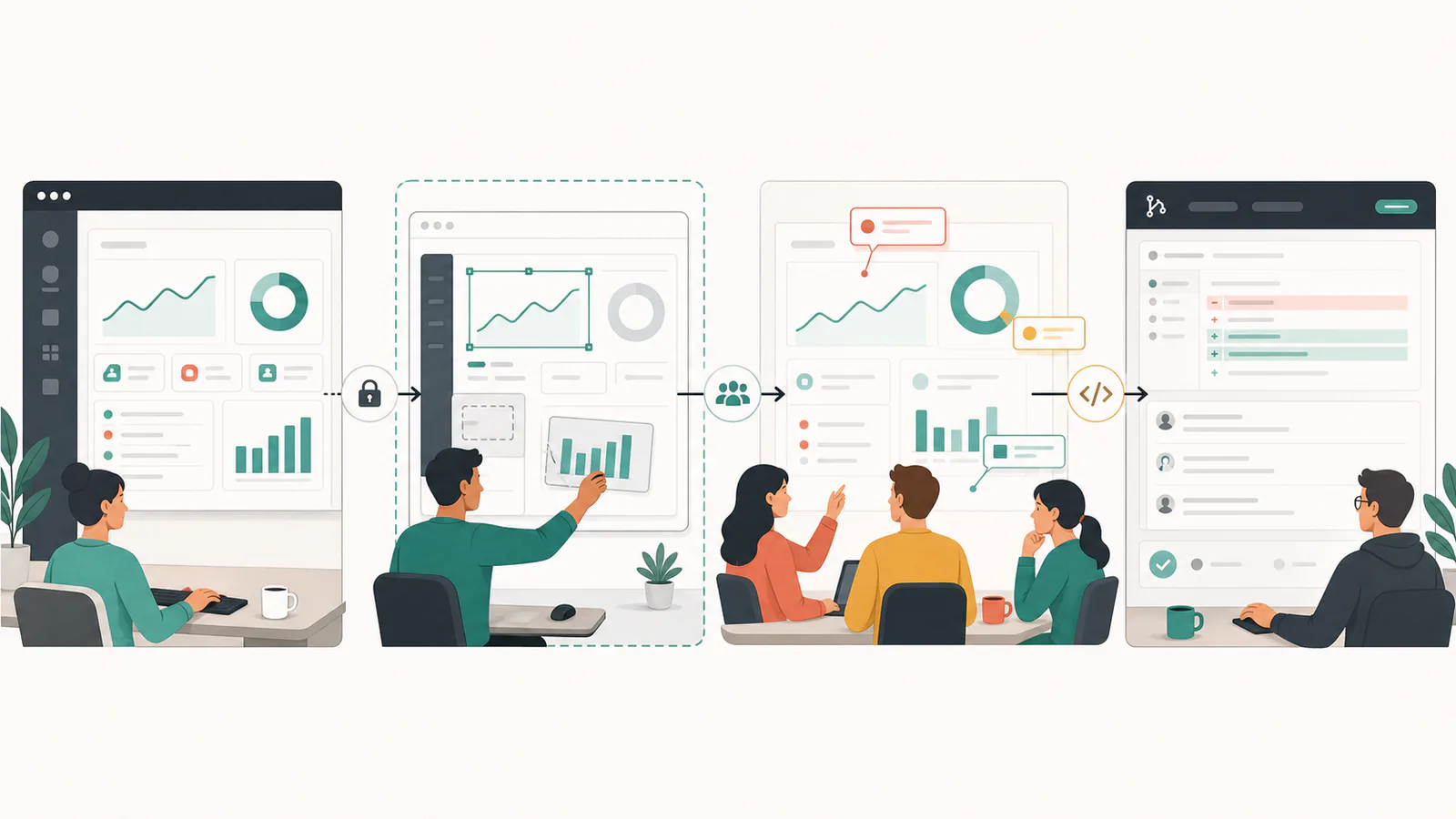
Before changing anything, record the product context the prototype must preserve:
- Page entry point and navigation path
- User role and relevant permissions
- Current terminology and content hierarchy
- Components and interaction patterns already used nearby
- Desktop and mobile behavior
- Loading, empty, error, permission, and success states
- The page a user came from and where the task ends
This inventory prevents the prototype from drifting into an attractive but unrelated concept.
Scope the Smallest Complete Flow
Small does not mean isolated. A single screen can be visually complete and still fail as a test because participants do not know how they arrived there or what happens after they act.
Scope the smallest complete flow around the hypothesis. For a new approval step, that could mean:
- The list where a user discovers an item awaiting review
- The detail view with the proposed approval control
- A validation or confirmation state
- The updated list and a visible record of the decision
Keep unrelated settings, admin tools, and edge features outside the prototype. Within the chosen flow, include any state that could materially change the decision. If permissions are the main risk, a permission-denied state is not an edge case. It is part of the experiment.
The distinction between artifacts matters here. A wireframe can test structure, while an interactive prototype can test behavior. The wireframe, mockup, and prototype comparison explains which artifact fits each question. If the team already agrees on structure and needs realistic task feedback, move directly to the minimum fidelity required for that task.
Make the Change Inside an Isolated Sandbox
An isolated prototype should be safe to change, safe to share, and easy to discard. It must not depend on participants avoiding the wrong button.
Use synthetic records or a purpose-built test account. Remove personal information from captured screens. Disable or replace actions that could send email, charge a card, change permissions, or update a production record. If the prototype must call a service, point it to a controlled test environment with the narrowest permissions possible.
Isolation also protects the product team. You can explore competing layouts, rewrite information architecture, or test a destructive-looking action without creating cleanup work in the live app. The point is not to make the prototype production-ready. The point is to make the decision inexpensive to reverse.
Use specific, iterative prompts when changing the interface with AI. State the task, the region to change, required states, constraints from the existing design, and behavior that must remain untouched. Review one meaningful change at a time so visual regressions and invented behavior are easier to spot.
The Alloy prototyping workflow shows how to select the captured area, describe the change, and refine the result without expanding the experiment beyond its intended scope.
Preserve Design-System Fidelity Without Freezing the Idea
Design-system fidelity helps participants focus on the proposed behavior instead of reacting to off-brand controls. It does not mean the prototype must reproduce every production detail.
Match the elements that carry learned meaning:
- Navigation and page hierarchy
- Component appearance and interaction patterns
- Typography, spacing, color roles, and icon conventions
- Form validation and feedback behavior
- Terminology used elsewhere in the product
Allow deliberate deviations when they are part of the hypothesis. If the experiment tests a new navigation model, the old navigation should not be treated as an untouchable constraint. Mark intentional changes separately from accidental inconsistencies so reviewers understand what feedback is useful.
The right level of polish depends on the question. Use the low-fidelity and high-fidelity prototype framework to decide where realism reduces uncertainty and where it only adds effort.
Test the Whole Interaction, Including Failure States
Walk through the prototype as each relevant user role before sharing it. Test with a keyboard as well as a pointer. Resize the viewport. Use long labels and empty data. Attempt the task in an unexpected order.
At minimum, review:
| Area | Questions to answer |
|---|---|
| Entry | Can users find the new capability from a realistic starting point? |
| Comprehension | Do labels, hierarchy, and consequences make sense without explanation? |
| Interaction | Do controls respond consistently and expose the required states? |
| Recovery | Can users understand and recover from validation or permission failures? |
| Completion | Is success clear, and does the surrounding product reflect the change? |
| Accessibility | Can the flow be understood and operated with relevant assistive methods? |
Internal review catches broken paths; it does not replace research with representative users. The companion guide explains how to test a prototype with users without coaching them toward the answer.
Collect Feedback That Supports a Decision
Share a public prototype link with the specific scenario, the decision the team needs to make, and the kind of feedback requested. Avoid asking whether people "like" the design. Preference is less actionable than observing where someone hesitates, misinterprets a consequence, or cannot complete a task.
Separate feedback into three groups:
- Evidence: What participants did or said during the task
- Interpretation: Why the team believes that happened
- Action: What should change or what needs another test
Stakeholders can also identify policy, technical, legal, or operational constraints that a user session will not reveal. Ask each reviewer to comment from their domain rather than treating all opinions as interchangeable votes.
Decide Whether to Iterate, Stop, or Hand Off
A successful prototype does not automatically become production code. It may have validated the direction while using shortcuts that are unsuitable for a maintained application.
Iterate when the core idea remains plausible but the evidence exposes a fixable problem. Stop when the underlying user need or expected outcome is unsupported. Move toward implementation when the main flow is understood, important states are documented, and the team agrees the remaining uncertainty belongs in engineering delivery rather than product discovery.
When Alloy is connected to the codebase, a validated direction can move into a pull request. Keep that pull request focused. GitHub recommends providing reviewers with the purpose, an overview of changes, relevant context, and the kind of feedback needed in its guidance on making changes easy to review. Include the hypothesis, research findings, known gaps, screenshots, and acceptance criteria. Then run the same tests, security checks, accessibility review, and code review required for any production change.
Common Mistakes When Prototyping Existing Apps
- Rebuilding too much: A broad replica takes longer and introduces differences unrelated to the hypothesis.
- Testing a single polished screen: Participants cannot demonstrate whether the surrounding workflow works.
- Using real customer data: Captures and shared links can expose information beyond the intended audience.
- Ignoring existing language: New labels can make a familiar task feel like a different product.
- Treating stakeholder approval as user validation: These groups answer different questions.
- Shipping prototype shortcuts: Mocked data and fragile interactions need engineering design before release.
FAQs
Can I prototype changes to an existing app without connecting its codebase?
Yes. A browser-based page capture can provide the real interface, layout, and styling as a starting point without repository access. You may still need to mock data and complex behavior, but you can validate the visible experience before engineering setup begins.
How do I keep a prototype from affecting production?
Work in an isolated copy or sandbox, use synthetic or approved test data, and keep production credentials and write-capable integrations out of the prototype. Treat any path back to the codebase as a reviewed handoff, not an automatic deployment.
Can I prototype authenticated or private web app pages?
Yes, if your capture method runs in a browser session that already has authorized access. Capture only information your team is permitted to use, replace personal or confidential data before sharing, and verify that the resulting prototype cannot call production services unexpectedly.
When is a prototype ready to become a pull request?
Move toward a pull request after the team has validated the core flow, documented unresolved states and accessibility requirements, and agreed that the direction is worth implementing. The pull request should remain small, explain the prototype evidence, and pass normal engineering review and tests.
Prototype the Decision, Not the Entire Product
The strongest existing-app prototype is faithful where context matters and intentionally incomplete everywhere else. Start from the real interface, isolate the change, test the smallest complete flow, and keep production systems outside the experiment. That produces evidence the whole team can evaluate while the cost of changing direction is still low.
