
Everyone's asking about Alloy vs Cursor Cloud Agents because both promise faster builds, but they split pretty clearly once you look at who can actually use them. Cursor agents live inside an IDE and output code changes, so your workflow still depends on build pipelines and engineering reviewers. Alloy runs in the browser and generates shareable sandboxes that look exactly like your product, so PMs and designers can give feedback without waiting for a staging deploy. If your review cycle involves people who don't open pull requests, one of these is going to feel natural and the other is going to add steps.
TLDR:
- Cursor Cloud Agents targets engineering teams with IDE-based workflows in isolated VMs.
- Alloy is built for cross-functional product teams, working directly inside your existing product.
- You can start from a live Capture, GitHub repo, or Figma file with zero local setup required.
- Alloy delivers interactive sandboxes in minutes and runs 2x faster than traditional workflows.
- Alloy works with your real codebase and design system for pixel-perfect product fidelity.
What Is Cursor Cloud Agents?

Cursor launched Cloud Agents on February 24, 2026, extending its code editor into autonomous, cloud-run coding agents. Each agent gets its own isolated VM with a full development environment inside it, so work happens entirely off the developer's local machine.
The capability set is squarely aimed at engineering workflows. An agent can build software and control a real browser to test the UI. It records video as evidence of what it actually did, and when the work wraps up, it produces a merge-ready pull request with artifacts attached. The whole loop runs without a human steering each step.
Cursor designed this for engineering teams that want to automate coding tasks at scale, running agents in parallel across a codebase and moving faster than any single contributor could.
What Is Alloy?
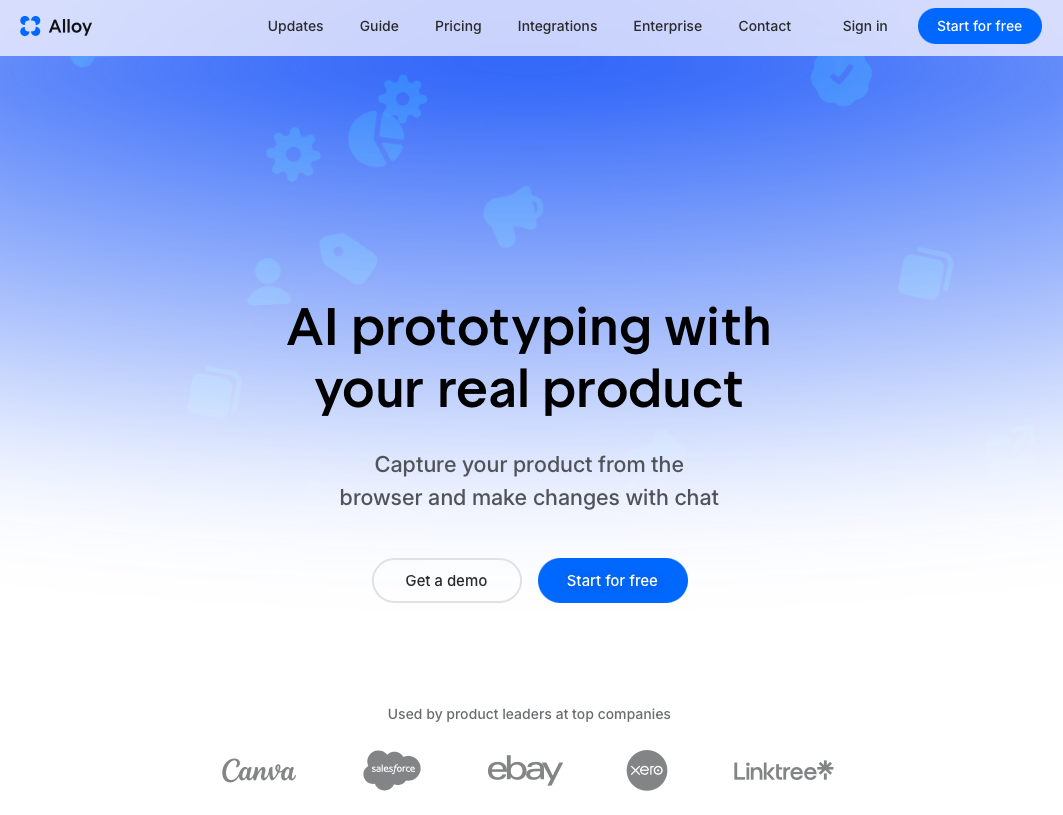
Alloy is a Cloud Agent built especially for product teams. Where most AI coding tools like Bolt generate standalone apps or recreate UI from scratch using generic components, Alloy works directly inside your existing product, modifying real code against your actual design system.
The core workflow runs in four steps: idea, sandbox, feedback, implementation. You describe a change, Alloy spins up an isolated sandbox session that looks exactly like your product, and you share it instantly for stakeholder feedback. When the work is approved, it exits through a GitHub Pull Request instead of deploying straight to production.
Alloy offers three ways to get started:
- Capture any page of your live product, even behind a VPN, and begin editing it pixel-perfect in seconds without connecting your codebase.
- Connect your codebase directly so Alloy works from your real source files and design tokens.
- Start from your existing design system so every output stays on-brand by default.
Teams report build and design operations running 2x faster compared to traditional workflows, going from a customer request to an interactive demo in minutes. Alloy is the Cloud Agent for product teams who need prototypes that look exactly like their product, not generic mockups.
| Feature | Alloy | Cursor Cloud Agents |
|---|---|---|
| Primary Audience | Full product teams including PMs, designers, and engineers who need cross-functional collaboration | Engineering teams working in IDE-based workflows with code-level tooling |
| Starting Points | Live product Capture (even behind VPN), GitHub repository, or Figma file with zero local setup | Your codebase directly from the Cursor IDE with minimal setup friction |
| Output Format | Interactive, instantly shareable sandbox sessions that look exactly like your product | Merge-ready pull requests with video recordings and artifacts attached |
| Iteration Speed | Go from customer request to interactive demo in minutes with no build pipelines or environment setup | Each iteration depends on build pipelines, branch management, and test suite run time |
| Reviewer Access | Stakeholders review pixel-perfect sandboxes through shareable links without any special setup or tools | Reviewers need code-level tooling access, which can slow down non-engineering stakeholders |
Product Development Workflow and Collaboration
Alloy and Cursor Cloud Agents approach product development from fundamentally different angles, and that gap becomes clear the moment you look at how each tool fits into a real team's workflow.
Alloy is built for cross-functional product teams moving from idea to working prototype without leaving their existing product. You capture any page of your live product, make changes in an isolated sandbox, and share an interactive session with stakeholders for feedback. The whole loop, from idea to shareable demo, takes minutes. When changes are ready, they go out through a GitHub Pull Request, keeping engineering in control of what reaches production.
Cursor Cloud Agents operate closer to the code layer. They are geared toward developers writing and iterating on code directly, which makes them a strong fit for engineering workflows but a less natural choice for cross-functional product teams where PMs and designers need to weigh in without opening a terminal.

Where Collaboration Fits In
Alloy treats collaboration as a first-class part of the build cycle. Shareable sandbox sessions mean a PM can review a change, a designer can check fidelity against the real design system, and an engineer can approve the PR, all without any special setup on the reviewer's side. Cursor's agent workflow is powerful but reviewer access still requires IDE access and development tooling, which can slow down non-engineering stakeholders.
For teams where speed of feedback across roles matters as much as speed of writing code, Alloy's workflow fits more naturally into the full product development cycle.
Accessibility and Starting Point
Cursor Cloud Agents spin up in the cloud directly from the Cursor IDE, so anyone already using Cursor for daily coding gets access with almost no setup friction. The starting point is your codebase, and the agent works within that context from the first prompt.
Alloy takes a different approach. You can start from a live Capture of your existing product, a GitHub repository, or a Figma file, giving teams multiple entry points depending on where work actually lives. There's no local install required, and everything runs entirely in the cloud.
Who Can Actually Use Each Tool
This is where the two products split most clearly:
- Cursor Cloud Agents are built for engineers. The workflow assumes you're comfortable in an IDE, reading diffs, and managing a codebase directly.
- Alloy is built for the full product team. PMs, designers, and engineers can all start a session without needing to touch a terminal or configure an environment.
For engineering-only teams, Cursor's starting point feels natural. For cross-functional teams where PMs and designers are involved in building and reviewing changes, Alloy's entry points require far less context-switching and hand-holding to get someone productive.
Speed, Testing, and Validation
Iteration speed separates good tools from great ones. Alloy runs entirely in the cloud, so there are no local builds to trigger and no environment mismatches to debug before you can test a change. You go from idea to an interactive, shareable sandbox in minutes.

Cursor Cloud Agents work through your repository, which means each iteration cycle still depends on build pipelines, branch management, and however long your test suite takes to run. For teams moving fast on product feedback, that overhead adds up quickly.
Alloy also lets you share sandbox sessions with stakeholders instantly. A PM, designer, or customer can interact with a working version of your product before a single line of code reaches a pull request. That shortens feedback loops without adding process.
What This Looks Like in Practice
- Alloy generates an interactive sandbox directly from a Capture of your real product, so reviewers see pixel-perfect fidelity, not a generic wireframe or a staging URL that requires access setup.
- Cursor Cloud Agents produce code changes that still need to be deployed somewhere before non-engineers can validate them, adding at least one step between "agent finished" and "stakeholder saw it."
- Because Alloy sessions are instantly shareable links, async validation across time zones requires no extra tooling or coordination.
Deployment and Production Pathways
Both Alloy and Cursor Cloud Agents keep changes out of production until you are ready, but they take different paths to get there.
Alloy routes every change through a GitHub Pull Request. When a session produces something worth shipping, Alloy opens a PR against your existing codebase so your team can review, test, and merge on their own schedule. Nothing touches production without going through that gate.
Cursor Cloud Agents follow a similar philosophy. Agents work inside a branch or sandboxed environment, and output lands in version control before anyone considers merging it. The workflow will feel familiar if your team already lives in Cursor's editor.
Where the Paths Diverge
The difference shows up in how each tool handles the work before the PR.
- Alloy sessions are browser-based and isolated by default, so there is no local environment to configure before a stakeholder can review a change or give feedback.
- Cursor Cloud Agents are built for developers who want deep IDE integration, so the pre-PR loop assumes an engineering context and a configured dev environment.
If your review cycle involves non-engineers, Alloy's approach cuts out the setup overhead that would otherwise block them from participating.
Why Alloy Is the Better Choice
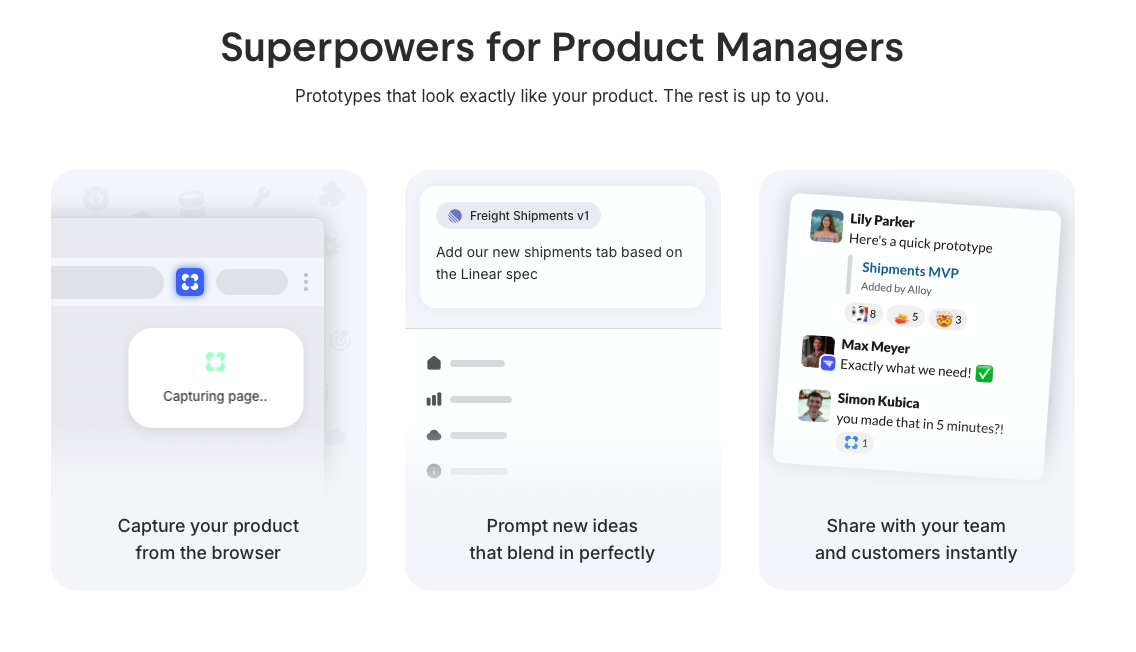
Alloy is built for product teams that need to move fast without losing fidelity to their existing product. Where Cursor Cloud Agents generate standalone apps from scratch using generic components, Alloy works directly inside your real codebase and real design system, so every output looks exactly like your product.
A few things set Alloy apart:
- Alloy captures any page of your product, even behind a VPN, and lets you start iterating on it immediately with no local installs or special setup required.
- Changes happen in isolated sandboxes, keeping production safe while giving stakeholders a pixel-perfect interactive demo they can actually click through.
- When a change is ready, it goes to production through a GitHub Pull Request, so engineers stay in control of the full review process.
- Alloy's Cloud Agent handles build and design operations 2x faster, cutting the gap between a customer request and a working demo down to minutes.
For teams that already have a product and care about shipping changes that look and behave like the real thing, that distinction matters. Cursor Cloud Agents are a reasonable fit for greenfield projects. Alloy is built for the teams iterating on something that already exists and already has users who expect consistency.
FAQs
Who can actually use Alloy versus Cursor Cloud Agents?
Alloy is built for full product teams. PMs, designers, and engineers can all start a session and share feedback without touching a terminal. Cursor Cloud Agents are built for engineers who are comfortable in an IDE, reading diffs, and managing a codebase directly.
What happens to my changes before they reach production in Alloy?
Every change runs in an isolated sandbox session that's completely separate from production. When you're ready to ship, Alloy opens a GitHub Pull Request so your team can review, test, and merge on your own schedule. Nothing touches production without going through that gate.
How long does it take to get a working demo I can share with stakeholders?
With Alloy, you can go from a customer request to an interactive, shareable demo in minutes. You connect your codebase or capture a page from your live product, make changes in a sandbox, and share the session link instantly, no deployment, staging environment, or access setup required for reviewers.
Final Thoughts on Alloy vs Cursor Cloud Agents
In the Alloy vs Cursor Cloud Agents decision, Cursor Cloud Agents work well for engineering-focused teams building from scratch. Alloy works for teams iterating on something that already exists and already has users who expect consistency. If you need prototypes that look exactly like your product and feedback loops that include non-engineers, Alloy cuts the time from customer request to interactive demo down to minutes without adding process overhead.
