
Teams running trunk-based development hit the same wall: merging fast is great until everyone needs to validate their changes and there's only one staging environment. You end up with a queue, conflicts over who gets access, and demos that break because someone else deployed in the middle of your testing. Preview environments eliminate that friction by creating a dedicated environment for every pull request. Each change gets its own namespace and URL, with database isolation handled through strategies like schemas, snapshots, or dedicated instances. We'll show you how to set them up with Kubernetes, manage database strategies that don't blow your budget, and automate cleanup so orphaned environments don't pile up.
TLDR:
- Trunk-based development merges small code changes directly to main within 24 hours.
- Preview environments let teams test each PR in isolation without blocking trunk.
- Feature flags hide incomplete work so you can merge code before it's ready to ship.
- Some browser-based sandboxes connected to real codebases let teams review and validate changes early without waiting on engineering.
- Database strategy (schema isolation or snapshots) keeps preview environments fast and cost-controlled.
What Trunk-Based Development Is and How It Works
Trunk-based development is a source control strategy where every developer merges small, frequent code changes directly into a single shared branch, typically called main or trunk. Long-lived feature branches are discouraged. There’s no month-long divergence. Just a steady stream of small commits flowing into one place.
The workflow looks like this:
- Pull the latest code from trunk
- Make a small, focused change
- Run tests locally
- Merge back to trunk within hours (ideally the same day)
Short-lived branches are allowed, but they rarely survive past 24 hours. The whole model depends on continuous integration catching problems fast, before they compound. What trunk-based development actually means in practice is that your team favors integration speed over isolation comfort.
Trunk-Based Development vs Feature-Based Development
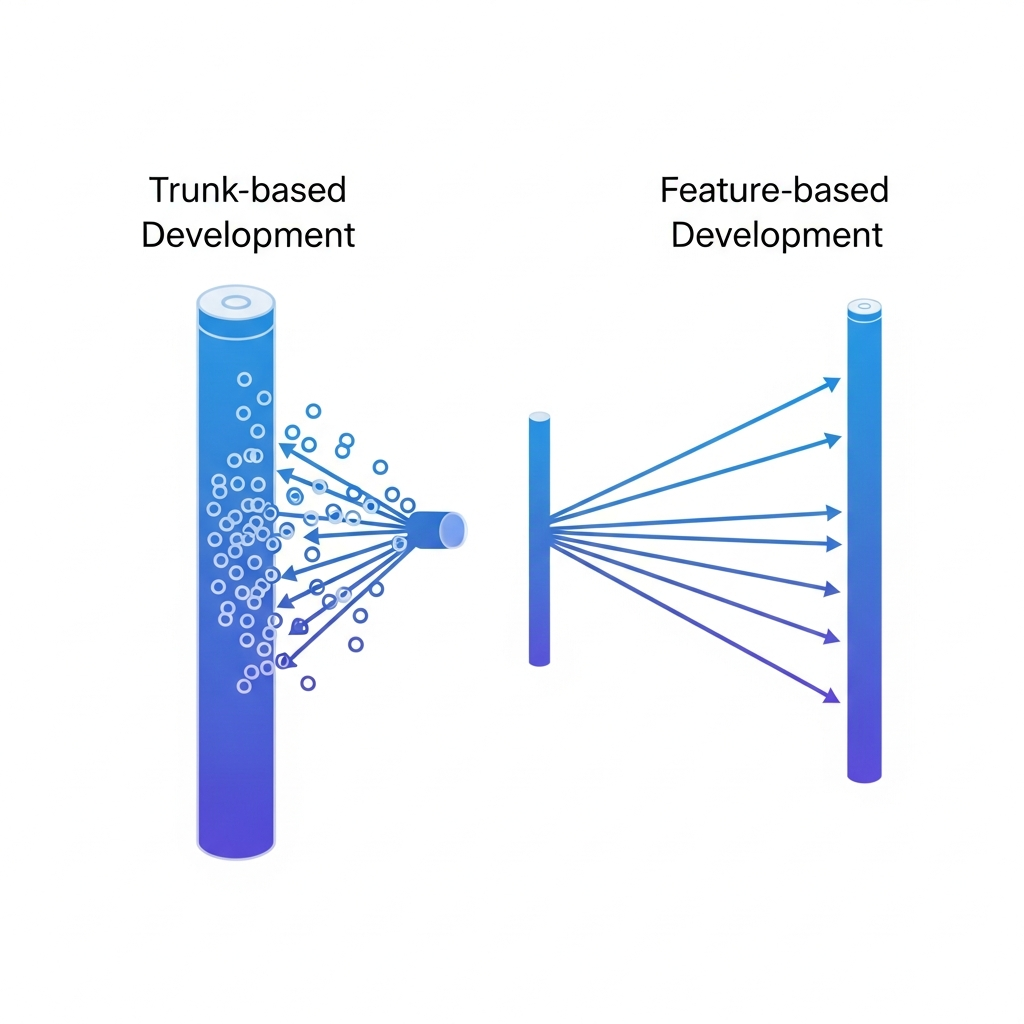
Feature-based development takes the opposite approach. Each feature lives on its own branch, sometimes for days or weeks, before getting reviewed and merged. GitFlow is the classic example: you have feature/, develop, release/, and hotfix/ branches all running simultaneously.
The tradeoff is real. Feature branches give developers isolation, but isolation has a cost. The longer a branch lives, the harder it becomes to merge. Teams end up spending hours resolving conflicts that accumulated while they were heads-down on their feature.
Here's where each approach tends to work better:
| Factor | Trunk-Based | Feature-Based (GitFlow) |
|---|---|---|
| Team size | Small to large with CI discipline | Small teams, or compliance-driven release cycles |
| Release cadence | Continuous / multiple per day | Scheduled / infrequent |
| Merge conflicts | Typically lower (due to smaller batch sizes) | High (long-lived branches) |
| Feedback speed | Fast | Slower |
| Setup complexity | Low | High |
Feature branching makes sense when your release cycle is fixed or compliance requires staged approvals. But for teams shipping continuously, it creates drag. Trunk-based development rewards teams that have strong test coverage and want to move fast without the overhead of branch management.
Why Preview Environments Are Critical for Trunk-Based Development
Without isolated environments per change, teams either block trunk waiting for a shared staging environment, or they merge blind and hope CI catches everything.
Preview environments tackle this directly. Each pull request spins up its own live environment, so developers can test, share, and get sign-off without queuing behind other teams. That independence helps trunk-based workflows scale more effectively. When done right, teams often report considerably faster feature delivery by removing shared environment bottlenecks.
The numbers back this up. 70% of engineers consider preview environments important, with 25% calling them extremely important. That consensus makes sense: trunk-based development requires confidence that every merge is safe, and preview environments are how you build that confidence without slowing anyone down.
Setting Up Preview Environments with Kubernetes
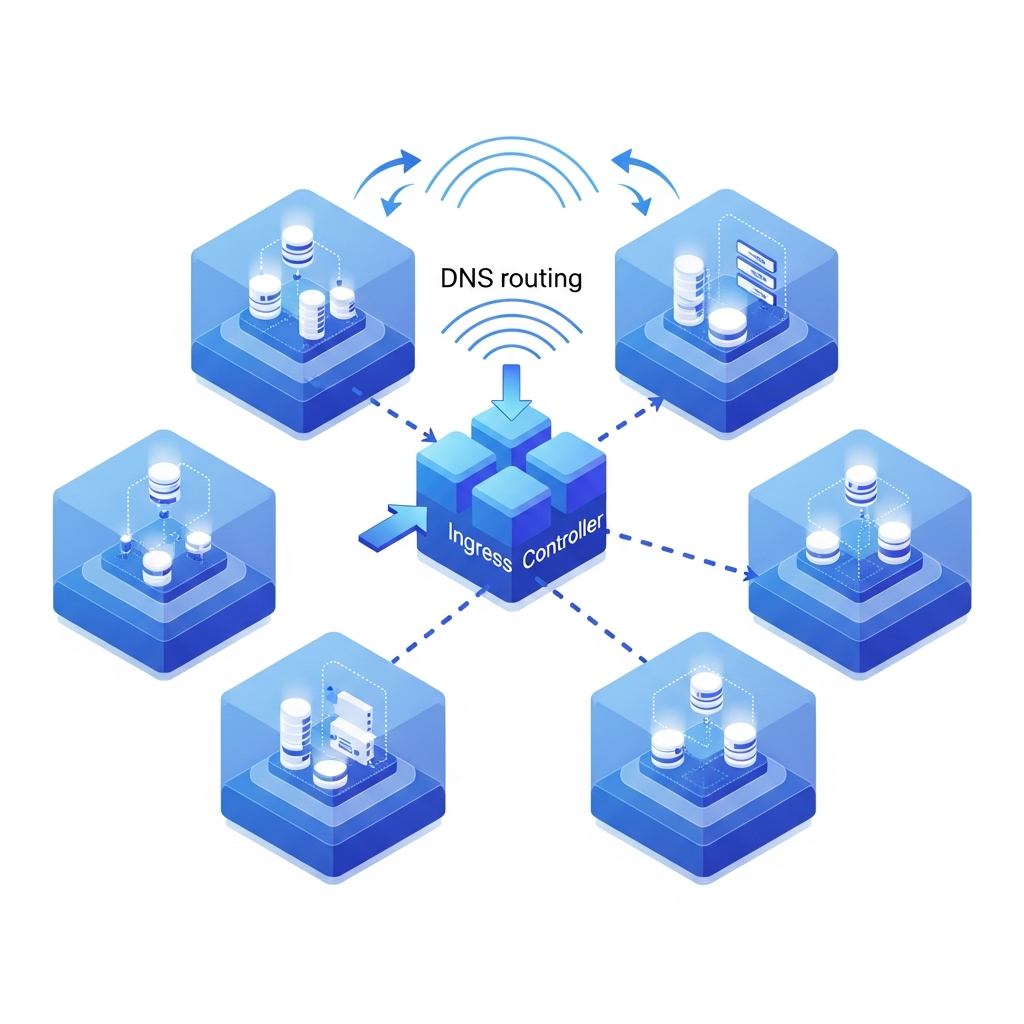
Each pull request typically gets its own Kubernetes namespace, with a full deployment of your app stack running inside it. A basic namespace-per-PR setup looks like this:
- CI triggers on pull request open or update
- Pipeline creates a namespace named
preview-pr-{number} - Helm or Kustomize deploys the app into that namespace
- A wildcard DNS rule routes
pr-123.preview.yourdomain.comto the right service - Namespace is deleted when the PR closes
A wildcard record like *.preview.yourdomain.com pointing to your ingress controller means zero manual config per environment, with routing handled automatically by subdomain matching for 2x faster performance.
Cleanup is where most teams cut corners. Set a TTL on namespaces or use a controller like Argo CD with automated pruning. Orphaned environments pile up fast and inflate your cloud bill without anyone noticing until month-end.
Preview Environment Database Strategies for Trunk-Based Workflows
Database setup is the part teams underestimate most. Spin up ten preview environments and suddenly you're asking: does each one get its own database?
Three approaches exist, each with real tradeoffs:
- Separate database per preview: full isolation, safe for destructive migrations, but expensive and slow to provision
- Schema isolation: one database server, multiple schemas or prefixed tables per PR, cheaper but schema migrations can bleed across environments if not scoped correctly
- Snapshot-based: each preview clones from a recent production snapshot, giving realistic data with reduced risk of cross-contamination
For many teams on trunk-based workflows, schema isolation can provide a practical balance. It's fast to spin up and keeps costs manageable across dozens of concurrent PRs. Reserve full database-per-preview for environments running migration tests where you genuinely need isolation at the storage level.
Whatever approach you pick, automate seed data. A preview environment with no data is hard to validate against.
Feature Flags and Trunk-Based Development
Feature flags are what make trunk-based development practical when features aren't finished. You merge the code, but wrap it behind a flag so nothing reaches users until you're ready. Incomplete work lives in trunk without breaking anything.
In preview environments, flags let you test the same commit in multiple states: on for one reviewer and off for another, giving real UI context. That kind of split testing is hard to replicate in a shared staging setup but trivial with per-PR environments.
The results are real. Nudge's 2025 research found an 89% reduction in deployment-related incidents after teams adopted feature switches.
One risk worth watching: flag debt. Flags that never get cleaned up accumulate into a maze of conditionals that nobody wants to touch. Set a removal policy when the flag ships, not after.
Automated Testing Requirements for Trunk-Based Development
Merging to trunk multiple times daily only works if your test suite is fast enough to not block everyone. A slow pipeline is just a slow feature branch by another name.
At minimum, you need:
- Unit tests should run in under 5 minutes to keep the feedback loop tight enough for multiple daily merges
- Integration tests scoped to changed services so you avoid running the entire suite on every commit
- E2E smoke tests triggered per preview environment to catch regressions before they reach trunk
- A quality gate blocking merges on failure, with tightly controlled override paths when necessary
Test parallelization matters here. Split your suite across runners so feedback arrives in minutes. Most CI tools support matrix builds natively.
Watch flaky tests closely. One unreliable test erodes trust in the whole pipeline, and teams start overriding gates instead of fixing failures.
Managing Multiple Environments in Trunk-Based Development
In many trunk-based workflows, environments are treated as automated checkpoints that trunk passes through on every merge, instead of manually promoted stages.
A typical progression looks like this:
- Merging to trunk automatically triggers a deployment to the dev environment
- Passing tests can promote the build to staging without human intervention, depending on the team’s release process
- Production release requires an explicit approval gate or tag
Preview environments sit alongside this pipeline, not inside it. They validate individual PRs before trunk ever sees the code.
Environment parity matters here. If staging runs a different database version or skips a service, failures become misleading. Keep infrastructure config consistent across environments using the same Helm charts or Terraform modules, parameterized by environment name.
For release tracking, tag trunk commits at promotion time instead of managing release branches. A tag like release/2026-04-01 is lightweight and gives you a clear rollback target without the overhead of a separate branch lifecycle.
Overcoming Common Trunk-Based Development Challenges
Adoption friction is real, but most challenges have direct solutions once you know where to look.
- Code review bottlenecks: keep PRs small and scoped. A 50-line diff gets reviewed in minutes. A 500-line diff sits in queue for days.
- Breaking changes: use feature flags to hide incomplete APIs, and add backwards-compatible contracts before removing old ones.
- Hotfixes: cherry-pick the fix commit directly to trunk, then tag a release using tools for rapid product iteration. Many teams avoid separate hotfix branches, applying fixes directly to trunk instead.
- Scale: at larger team sizes, use code owners to route reviews automatically instead of relying on volunteers.
Transitioning from GitFlow is the hardest part socially, not technically. Start by collapsing develop into main and setting a 24-hour branch lifetime rule. Introduce preview environments before you change branching rules so teams have a safety net in place when the isolation they relied on disappears.
Accelerating Product Iteration with Cloud Playgrounds
Preview environments handle engineering validation. What they don't cover is the upstream work: deciding what to build before coding.
That's the gap Alloy fills. Our Cloud Playground connects directly to your real codebase and lets product teams modify actual interfaces through AI inside isolated browser-based sandboxes. No local setup, no branch management, no waiting on an engineer to mock something up. A PM can describe a flow change and share a working version with stakeholders in minutes.
The approach mirrors trunk-based principles: small, fast experiments in isolation, validated before anything touches production. Folder-based organization keeps dozens of concurrent sandboxes structured across workstreams. Recent performance improvements mean prototypes generate twice as fast as before, so the idea-to-feedback loop stays tight.
FAQs
How quickly should I merge code back to trunk in trunk-based development?
You should merge code back to trunk within hours, ideally the same day you start working. Short-lived branches can exist but should rarely survive past 24 hours to prevent merge conflicts and maintain the fast feedback loop that makes trunk-based development work.
What's the main difference between trunk-based development and GitFlow?
Trunk-based development merges small, frequent changes directly into a single shared branch within hours, while GitFlow uses long-lived feature branches that can last days or weeks across multiple branch types (feature/, develop/, release/). Trunk-based works best for continuous deployment, while GitFlow suits teams with scheduled releases or regulatory requirements.
Why do I need preview environments if I already have staging?
Preview environments create an isolated environment for each pull request, so your team can test and validate changes without queuing behind others for shared staging access. This independence lets trunk-based workflows scale because developers can merge confidently without blocking each other or merging blind.
How do I handle unfinished features when merging to trunk daily?
Use feature flags to wrap incomplete code so it merges to trunk without reaching users. You can test the same commit in different states across preview environments: flag on for some reviewers, flag off for others, while keeping trunk stable and deployable at all times.
Final Thoughts on Trunk-Based Development Strategy
Trunk-based development works when feedback keeps pace with how quickly code moves. Preview environments remove the friction in testing, but the loop starts earlier with how ideas are reviewed and validated. Alloy extends that flow by letting teams work directly with real product changes before they reach engineering, tightening the gap between concept and release. With both pieces in place, trunk-based development becomes easier to maintain without slowing down delivery.
