Claude subscription
Connect your Claude Pro or Max subscription, or an Anthropic Console API key, to use supported Anthropic models in Alloy without consuming Alloy credits for those iterations.
This integration requires an Alloy Pro subscription. Your connection is personal to your Alloy account and works in both prototype and dev sessions.
Paste either:
- A Claude setup token generated by
claude setup-token(sk-ant-oat…). Usage is billed against your Claude plan. - An Anthropic API key from the Anthropic Console (
sk-ant-api…). Usage is billed against your Anthropic API account.
The Claude Agent SDK authenticates setup tokens with CLAUDE_CODE_OAUTH_TOKEN and API keys with ANTHROPIC_API_KEY. Alloy sets only the matching variable for the credential you connect.
Before you connect
You need an active Alloy Pro subscription, plus one of:
- An active Claude Pro or Max subscription, Claude Code installed, and Claude Code signed in to that account.
- An Anthropic API key from the Console.
For current Claude plan behavior with setup tokens, see Use the Claude Agent SDK with your Claude plan.
How to connect Claude
Option A: Setup token
1. Sign in to Claude Code
Open a terminal and run:
claude
If Claude Code asks you to authenticate, sign in with the Claude account that has your Pro or Max subscription. If you need to change accounts, run /login inside Claude Code and select the correct subscription account.
2. Generate a setup token
Exit the interactive Claude Code session, then run:
claude setup-token
Complete the authorization flow if prompted. Claude Code prints a token beginning with sk-ant-oat. Copy the complete token.
Treat the setup token like a password. Do not paste it into chat messages, source code, shared documents, or project environment variables.
Option B: API key
Create or copy an API key from Anthropic Console API keys. Keys begin with sk-ant-api. Treat the key like a password.
Open the Claude integration in Alloy
Open Claude settings, or open your Alloy settings and select Claude under Integrations.
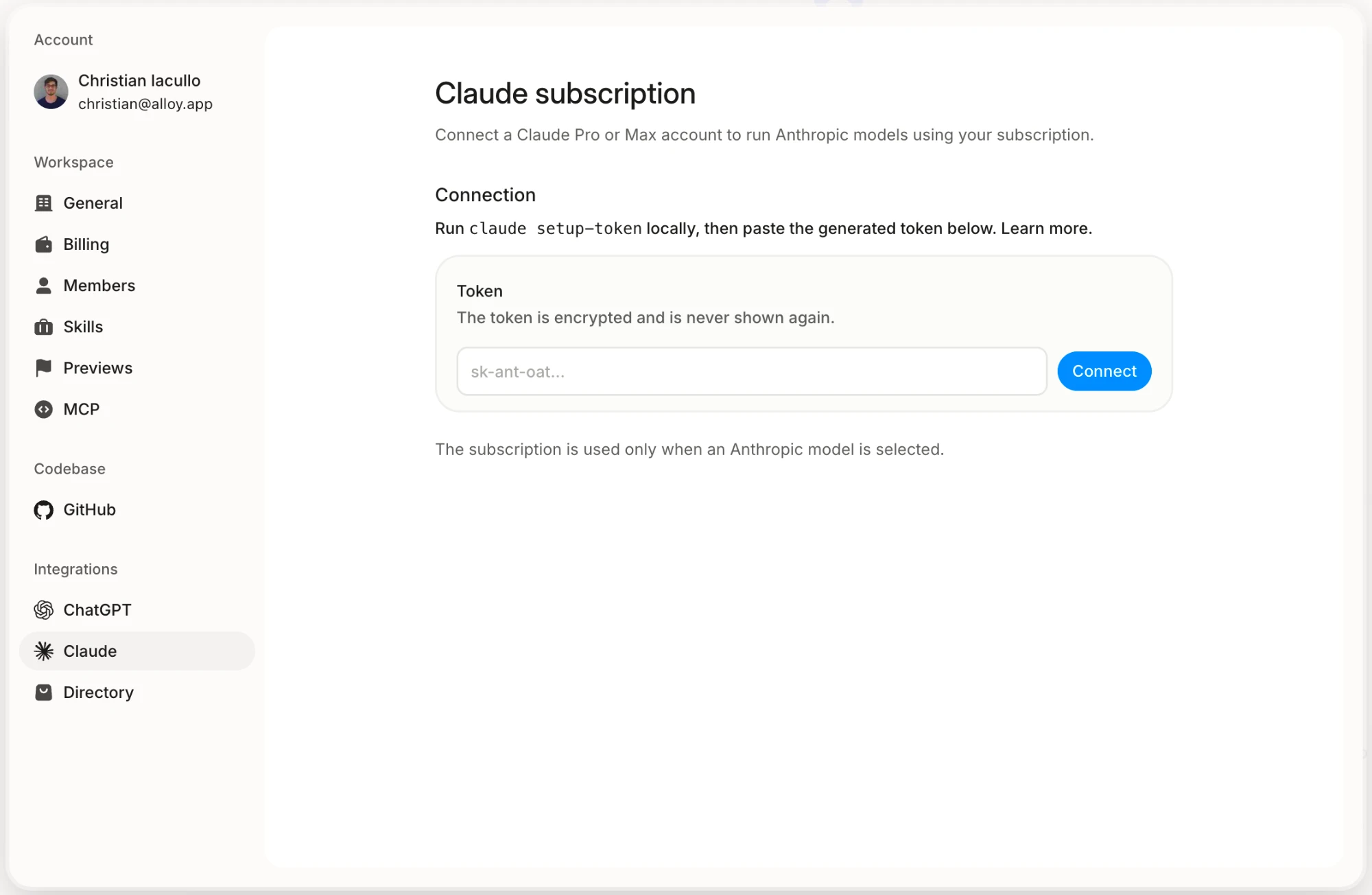
Paste the setup token or API key into Token, then click Connect. Alloy encrypts the credential when it is saved and does not display it again.
Confirm the connection
The Claude settings show Connected and Ready for Claude sessions when the credential has been saved.
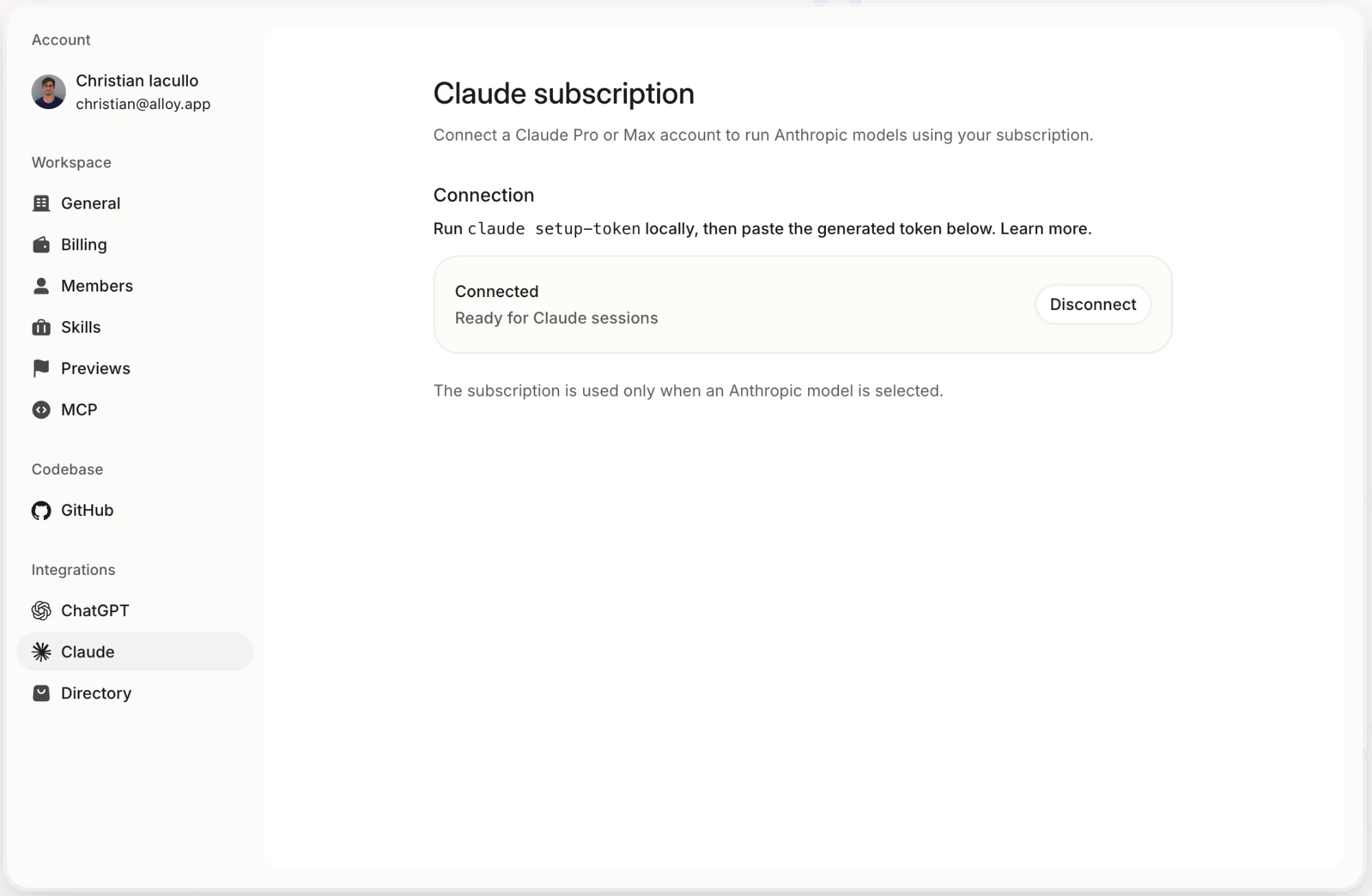
You can disconnect at any time from the same settings page.
How to use your Claude connection
Once connected, choose a supported Anthropic model in Alloy as usual. Alloy routes the iteration through the Claude Agent SDK using your connected credential.
Supported models include:
- Fable 5
- Opus 5
- Sonnet 5
Fable 5 is exclusive to a connected Claude credential: it only appears in the model picker once you are connected and your workspace is on an active Alloy Pro plan.
The available models can change as Anthropic releases or retires models. Keep in mind:
- Setup-token usage is subject to the limits of your Claude plan. API-key usage is billed by Anthropic against that key.
- Iterations routed through your Claude connection do not consume Alloy credits.
- If you reach your Claude or API usage limit, Alloy does not automatically spend Alloy credits or switch providers.
- The connection belongs to you and is not shared with your workspace.
- Models the integration does not support continue to use their existing usage path.
Security and access
Your Claude connection is associated with your individual Alloy account. Other members of your workspace cannot use, view, or manage it.
How to disconnect Claude
- Open Claude settings.
- Click Disconnect next to the connected account.
- Confirm that the token form appears again.
Disconnecting prevents new Alloy sessions from using your Claude credential. You can reconnect at any time with a new setup token or API key.
Troubleshooting
The claude command is not available
Install Claude Code using Anthropic's Claude Code setup guide, then open a new terminal and run claude --version to confirm the command is available.
The credential is rejected
Copy the complete value without surrounding spaces. Setup tokens begin with sk-ant-oat. API keys begin with sk-ant-api.
If a setup token came from the wrong account, run /login inside Claude Code, sign in to the account with the intended subscription, then generate a new setup token.
Alloy shows an upgrade message
The Claude integration requires an active Alloy Pro workspace. Open Settings > Billing to confirm the workspace subscription is active.
Claude reached its usage limit
Wait for your Claude allowance to reset, or use an API key with available Console credit. Alloy does not switch the iteration to Alloy credits automatically when a connected Claude credential reaches its limit.
The connection expired or was revoked
Open the Claude integration in Alloy, disconnect the existing connection, and connect again using a newly generated setup token or API key.